
TelluCare
New Dashboard Available for Technicians
The new alarm handling dashboard is now available to system users with the Technician role.
The dashboard provides a fast and structured overview of alarm handling in the response services over the past 24 and 48 hours, with flexible filtering by time of day. The solution is divided into three main areas:
-
Alarms to the response center – alarms received and handled by the response center, including forwarding
-
Alarms handled directly in the TelluGo app – alarms followed up directly by the service, with the response center as backup
-
Distribution by hour and weekday – overview of alarm distribution over the past 24 hours and the past week, for both handling types
The dashboard complements existing functionality such as alarm history, export, and APIs, and provides a better basis for decisions, prioritization, and more targeted follow-up of home care services and users.
TelluVision
Enable Audit Log Reason for Turning Off Anonymization
It is now possible to require Responders to provide a reason when turning off anonymization when doing a digital supervision. The reason will be recorded in the audit log, and the setting can be configured by an Administrator under Organisation → Device Groups for one or several cameras of own choice.
In addition to the existing options “Off”, “On (Cannot be turned off)” and “On (Can be turned off)”, a new option is now available: “On (Can be turned off with reason)”. The functionality applies only to device groups where the option has been actively enabled.
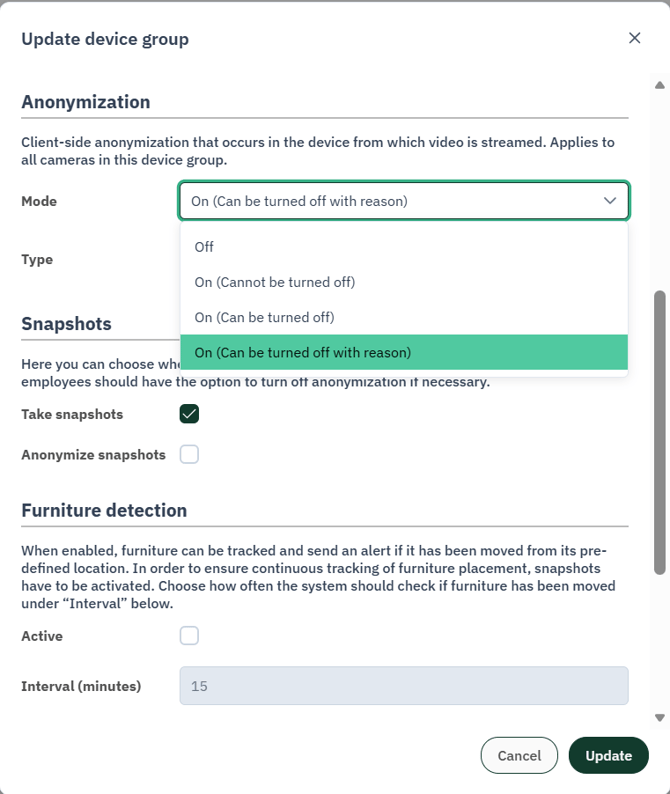
Enable audit log reason for turning off anonymization in the device group
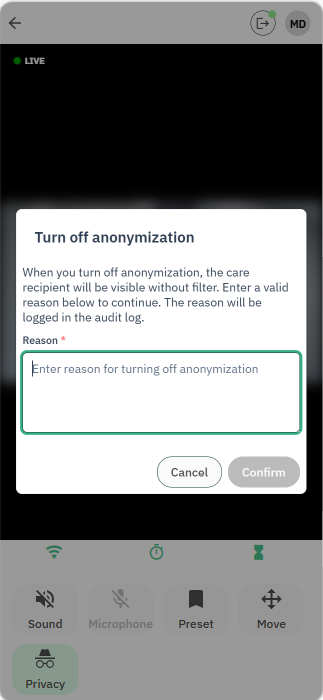
Add a reason to turn off anonymization
Support for New Camera Models
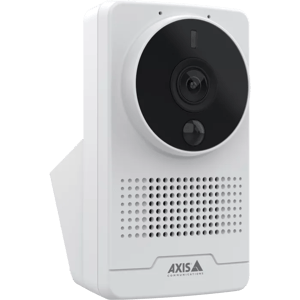
TelluVision now supports two new camera models: Axis M1075-L Mk II (the latest generation directional camera) and Axis M4317-PLR (a ceiling-mounted panoramic camera):
-
Axis M1075-L Mk II offers the same core functionality as its predecessor (resolution, viewing angle, infrared, two-way audio etc.), while also providing improved audio AI analytics and long term support. Going forward, this camera model will be shipped instead of the former Axis M1075-L.
Axis M4317-PLR provides 360 degrees panoramic coverage specifically designed for wide-area monitoring and complex rooms, and therefore allow for event detection across the entire room. This camera model is now ready for piloting.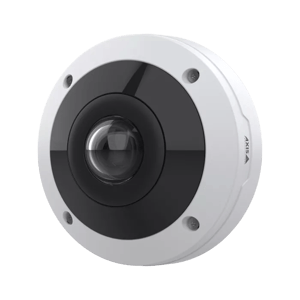
Integration to Skyresponse for Partners
TelluVision now includes an out-of-the-box integration with Skyresponse for partners, enabling seamless alarm forwarding and direct access to live camera streams. When an alarm is triggered, it can be automatically forwarded to Skyresponse and Responders can immediately view the associated camera stream. The live video is accessible both in the Skyresponse web-based alarm handling application and in the Responder App.
The integration is designed to be flexible and easy to configure, providing a simple setup process and a standalone solution for organizations that rely on Skyresponse as their alarm management platform.
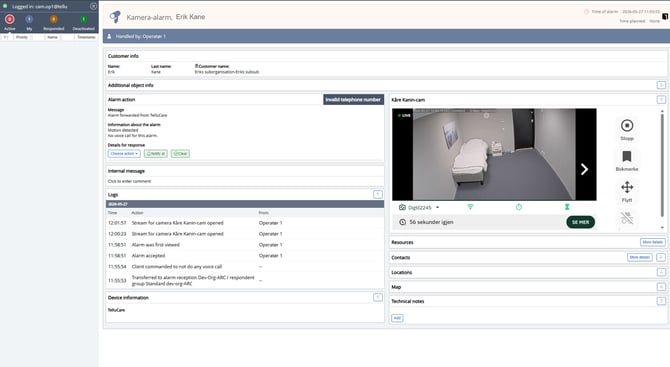
Access the camera stream in Skyresponse web-based alarm handling application
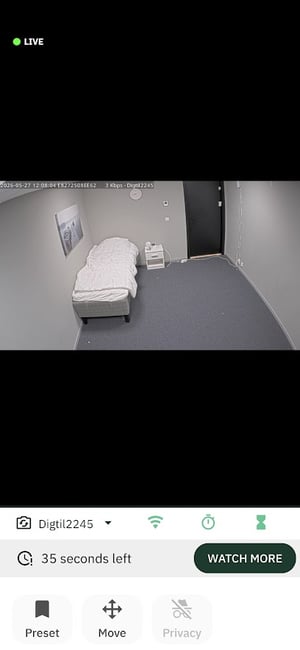
Access the camera stream in Skyresponse Responder App
TelluVisit
Tablet Overview in TelluCare
Service Managers can now manage the organization’s tablets directly in TelluCare. This provides a complete overview of all tablets and makes it easy to assign them to users when needed.
Tablet overview
A new option for Tablets has been added to the equipment overview. The table contains the following fields:
-
Type (Tablet)
-
Device group
-
Serial number
-
SIM card number
-
IMEI number
The table supports export and filtering on all fields, in line with the other equipment tables in TelluCare.
Tablet assignment
From the overview, Service Managers can select an available tablet and assign it directly to a user in the organization. After assignment, the tablet will appear on the user’s device page with information about the device ID, model, and assignment date.
Validation and error handling
A tablet that is already assigned to another user cannot be assigned again unless it is first released. Attempting to do so will result in a clear error message.