
TelluVision - Digital supervision
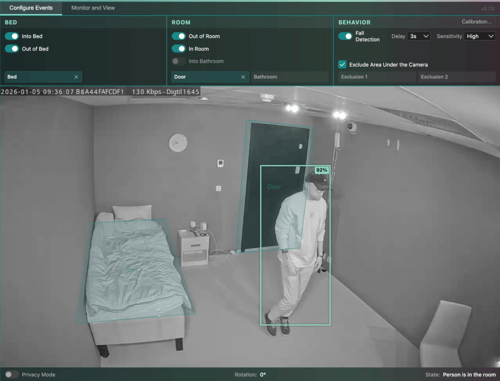
Improvements to Camera Event Detection
Through a structured improvement process and close collaboration with our customers, the camera event detection has been further refined. Based on identified improvement areas, systematic adjustments have been made to strengthen the detection performance for core event types such as bed and room. These improvements have increased the accuracy and consistency of event detection, contributing to valuable alarms for users in their daily work.
TelluVisit - Remote pasient monitoring
New version for the Dialogg app
Due to changes in the API for user configuration, the Dialogg app version 4.12 and older will not work after 28th of April 2026. Version 4.13 can be found on Google Play and App Store since the 14th of April, to give all users time to get the update (updates happen automatically in most cases).
TelluCare Platform
Clearer Workflow for Alarm Handling
The alarm card has been updated to improve clarity for Responders when handling alarms. “Start” has been replaced with two options: “Confirm arrival” when the user register physical presence at the resident’s location and “Complete alarm” when the user finalizes the alarm without an on-site visit. These adjustments were introduced to ensure that the wording more closely reflects the purpose of each use case and supports a clearer distinction between opening the camera, registering arrival and completing the alarm. For alarms forwarded from the response center, it will not be possible to complete the alarm without marking presence.
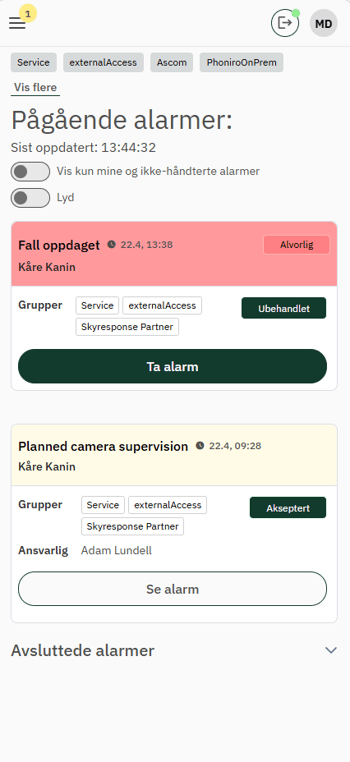
Accept the alarm card
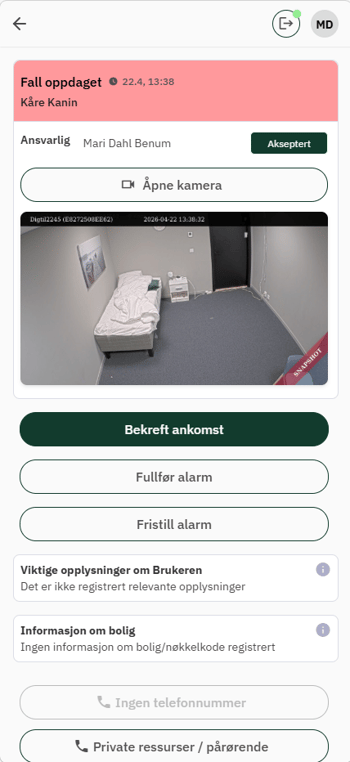
Either confirm arrival or complete the alarm without marking presence
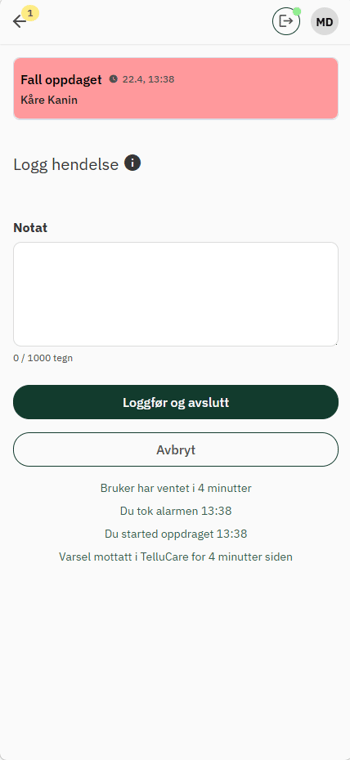
Log and close
Filter for Own and Unassigned Alarms
A new filter has been added to the alarm list to give a clearer overview of the most relevant alarms. Responders can now choose to show only their own alarms together with alarms that are not yet assigned, making it easier to only focus on what requires attention. The filter is automatically turned off after logging out or ending the shift, and notifications are not affected by the setting.
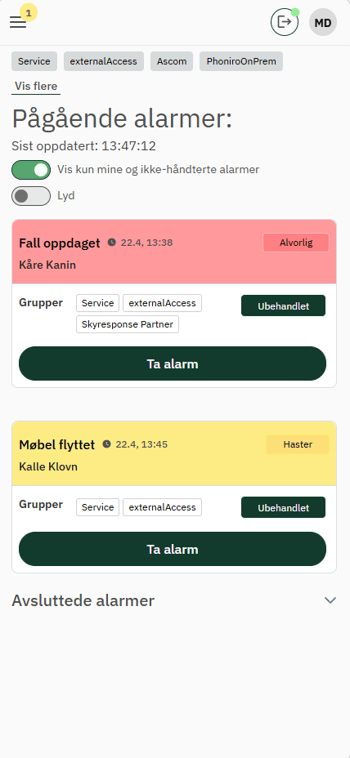
Filter to only see own and unassigned alarms
Shorter Pause Options for Alarms
The possibility to pause alarms for a resident to avoid notifications during visits has been updated to ensure more short-term deactivation. Now, Responders can also choose to pause alarms for 5 and 10 minutes when entering a room or residence briefly. In addition to this, it is also possible to add a custom duration in minutes if needed. Alarms related to planned supervision will continue as normal and the pause period ends automatically when the selected time has expired, or if it is manually turned off.
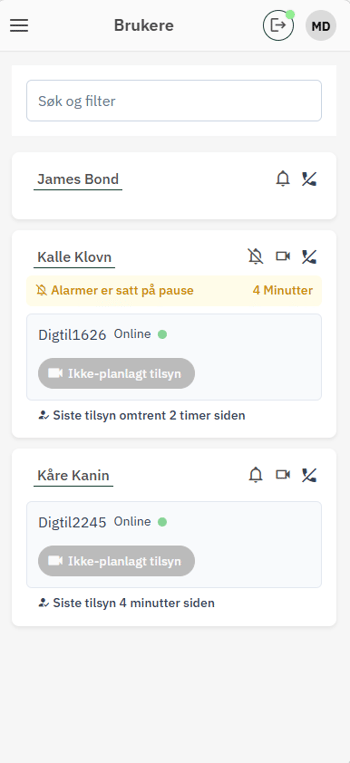
Click on the bell icon next to an user to pause alarms
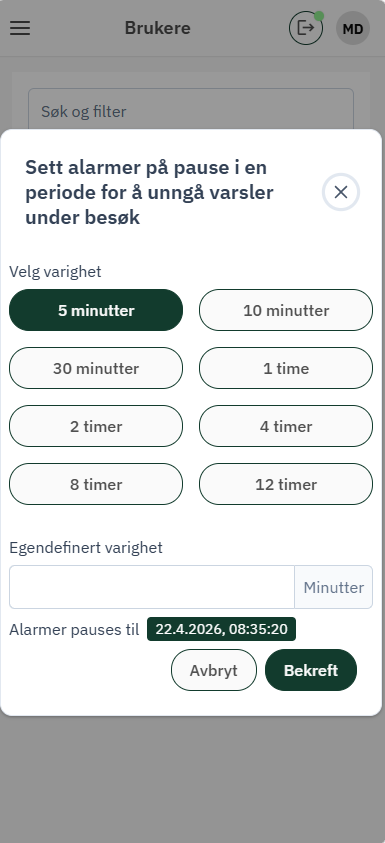
Choose what duration to pause the alarms for